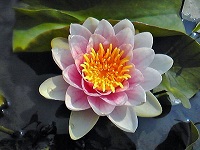
近年は、参考図などの表示領域のタグには <figure>~</figure> が推奨されています。一般的な <div>~</div> と同じようで、以下の figure を単に div にを置き換えても同様な結果になります。しかし div がその記述位置に一致するのに対して、figure では少しのインデントが生じます。おそらく地の文章との境界マージンを考慮しているのかと思います。
<figure style="position: relative;          /* ア 画像を表示する領域 */
            width: 200px;">                 /* イ   ベースの画像サイズと一致 */
    <img src="image1.jpeg" alt="">          /* ウ ベースの画像 */
    <img src="image2.jpeg" alt=""           /* エ 重ねる画像 */
         style="position: absolute;         /* オ   画像の領域での絶対位置 */
                right:  5px;                /* カ     右端からの位置 */
                bottom: 10px;               /* キ     下端からの位置 */
                border: 2px white solid;">  /* ク 重ねる画像の枠線 */
</figure>
画像に文字列(キャプション)を加えて表示するには、CSS(style)で指定するのが便利です。
この下に <figure>~</figure> があります。
image1.jpeg(200x150)
<figure>~</figure> の内容:当然 <style> で記述することもできますが、同じ形式が1か所しかないときは、インラインで記述するほうが簡単でしょう。(コピー&ペーストするときは、/* ~ */ を削除してください。)
<figure style="position: relative;           /* ア ここに表示されます */
               width:  200px;                /* イ   領域幅 画像幅に合わせました */
               height: 170px;">              /* ウ   領域高 画像高+キャプション文字の高さ */
    <img src="image1.jpeg" alt="">           /* エ 画像の表示 領域の左上 */
    <figcaption style="position: absolute;   /* オ キャプションの指定;領域の絶対位置を指定 */
                       bottom: 0px;          /* カ   領域内の下隅 */
                       color: black;         /* キ   文字の色 */
                       background: white;    /* ク   キャプションの背景色 */
                       width: 100%;          /* ケ   背景幅の領域幅の割合 */
                       max-width: 200px;">   /* コ   背景幅の最大値 画像幅に合わせる */
        <p style="margin: 0;                 /* サ 文字列の指定;画像の直下 */
                  font-size: 100%;           /* シ   文字列フォント */
                  text-align: center;">image1.jpeg(200x150)</p>  /* ス 表示文字列 */
    </figcaption>
</figure>
image1.jpeg(200x150)
<figure style="position: relative;
               /* 領域のサイズを大きくして背景を黄色に */
               width:  400px;
               height: 300px;
               background: yellow">
    <img src="image1.jpeg" alt="" style="width: 300px;"> /* 画像を拡大 */
    <figcaption style="position: absolute;
                       top: 10px;             /* キャプションの位置を左上、画像に重ねる */
                       left: 30px;
                       color: black;          /* キャプションの文字と背景の色 */
                       background: lime;
                       height: 15%;           /* キャプションサイズの領域との比率 */
                       width: 100%;
                       max-width: 200px;">
        <p style="margin: 0;
                  font-size: 100%;
                  text-align: center;">image1.jpeg(200x150)</p>
    </figcaption>
</figure>